Budget time zone
How a budget's time zone decides when each day starts, where it comes from, and what happens when the owner changes it.
Written By Pedro
Last updated About 1 hour ago
Every budget has a time zone. It decides when a new day starts for the budget, for everyone in it, wherever they are.
What it does
Zerosum works out "today" in the budget's time zone, not your device's. That date decides:
When scheduled transactions are due. A scheduled transaction comes up for review on its date in the budget's time zone.
Bank dates. Dates on transactions from bank sync are converted to the budget's time zone.
When a new month starts. Your budget moves into the next month at midnight in the budget's time zone.
What counts as the future. A transaction dated after today stays scheduled until its date arrives. It can't be approved before then.
Where it comes from
A new budget takes the time zone of the device you create it on. The same goes for the sample budget and for budgets you import from YNAB or Actual Budget.
After that, the time zone changes only when the budget owner changes it. It does not follow your device, so traveling never moves your budget's days.
Who can change it
Only the budget owner. Members can change the budget's other settings, but for them the time zone field is read only, with a note that only the owner can change it.
How to change it
Open Settings > General. General is under your budget's name in Settings. You can also click the budget name at the top of the sidebar and choose Budget settings.
Open Time zone and type a city to search. Each zone shows its offset from UTC, for example London (UTC+1).
Or select Use this device's time zone under the field. It shows only when the budget's time zone differs from your device's.
Select Save changes, then confirm.
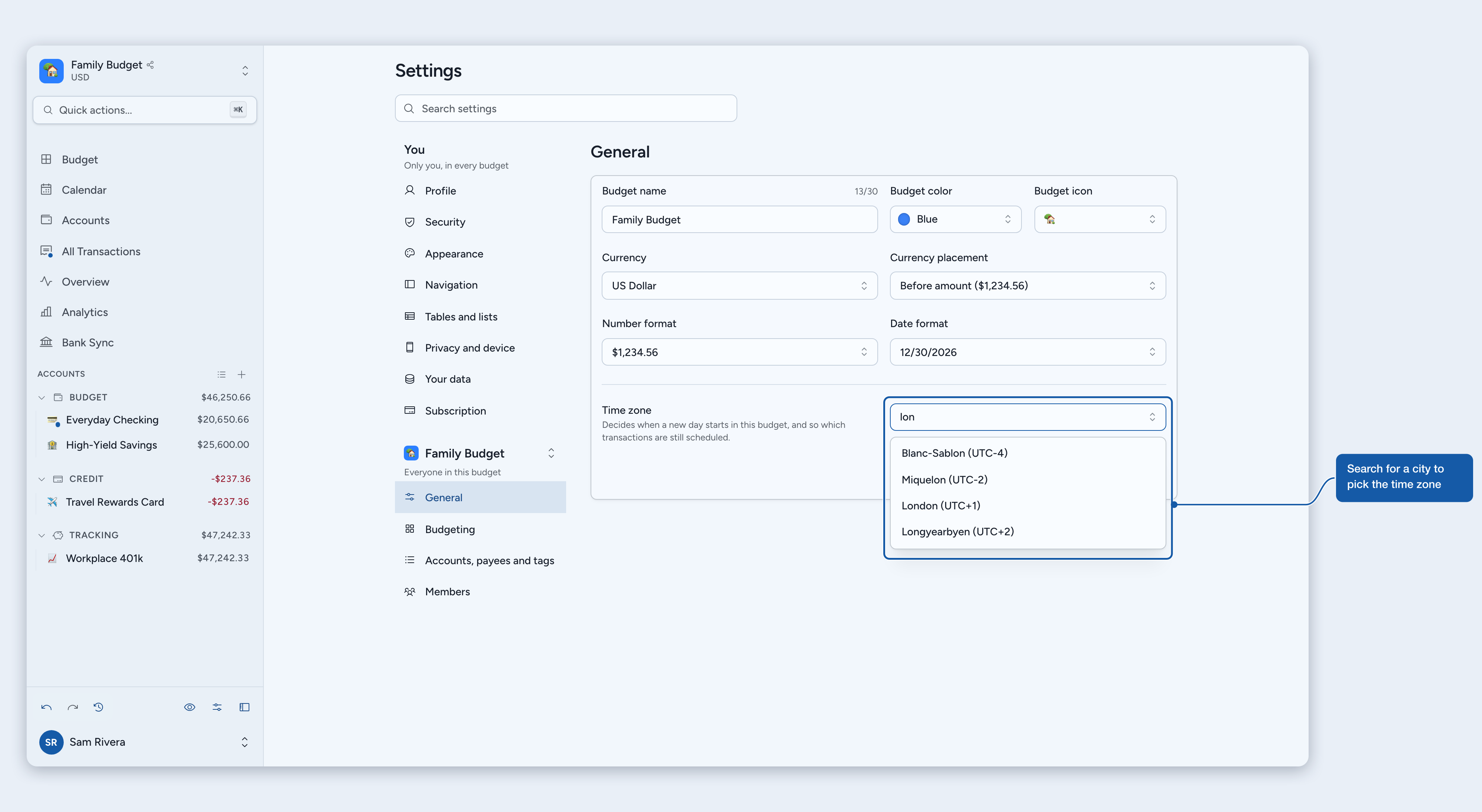
The time zone saves together with the rest of General. Until you save, Discard puts everything back.
The confirmation
Before it saves, Zerosum asks Change the time zone? and reminds you that days will start and end on the new time zone for everyone in the budget. The rest depends on the date in the new time zone right now:
Same date: no transactions move.
A later date: scheduled transactions dated up to that date become due.
An earlier date: a red warning shows the date it still is there. Transactions dated after that date go back to Scheduled. They lose their approval and may lose their cleared status and reconciliation, and bank matches for them are undone. Linked transfers and splits go with them.
⚠️ Warning: A change to an earlier date can't be undone. To back out, select the Keep button, which names the current time zone.
If midnight passes in either time zone while the dialog is open, the message updates and you confirm again.
Tips
Traveling? You don't need to change anything. New transactions you add still start on your device's date, which you can change before saving.
Moved for good? Change the time zone when it is the same date in both places. Then no transactions move.
Shared budget? There is one time zone for everyone. Pick the one where most of the budget's money moves.
Where to next
Still need help? Share an idea