Changelog

Follow new updates and improvements to Zerosum.

🏠 v1.10.5: Choose Your Home Page, New Overview Widgets, One-Tap Review
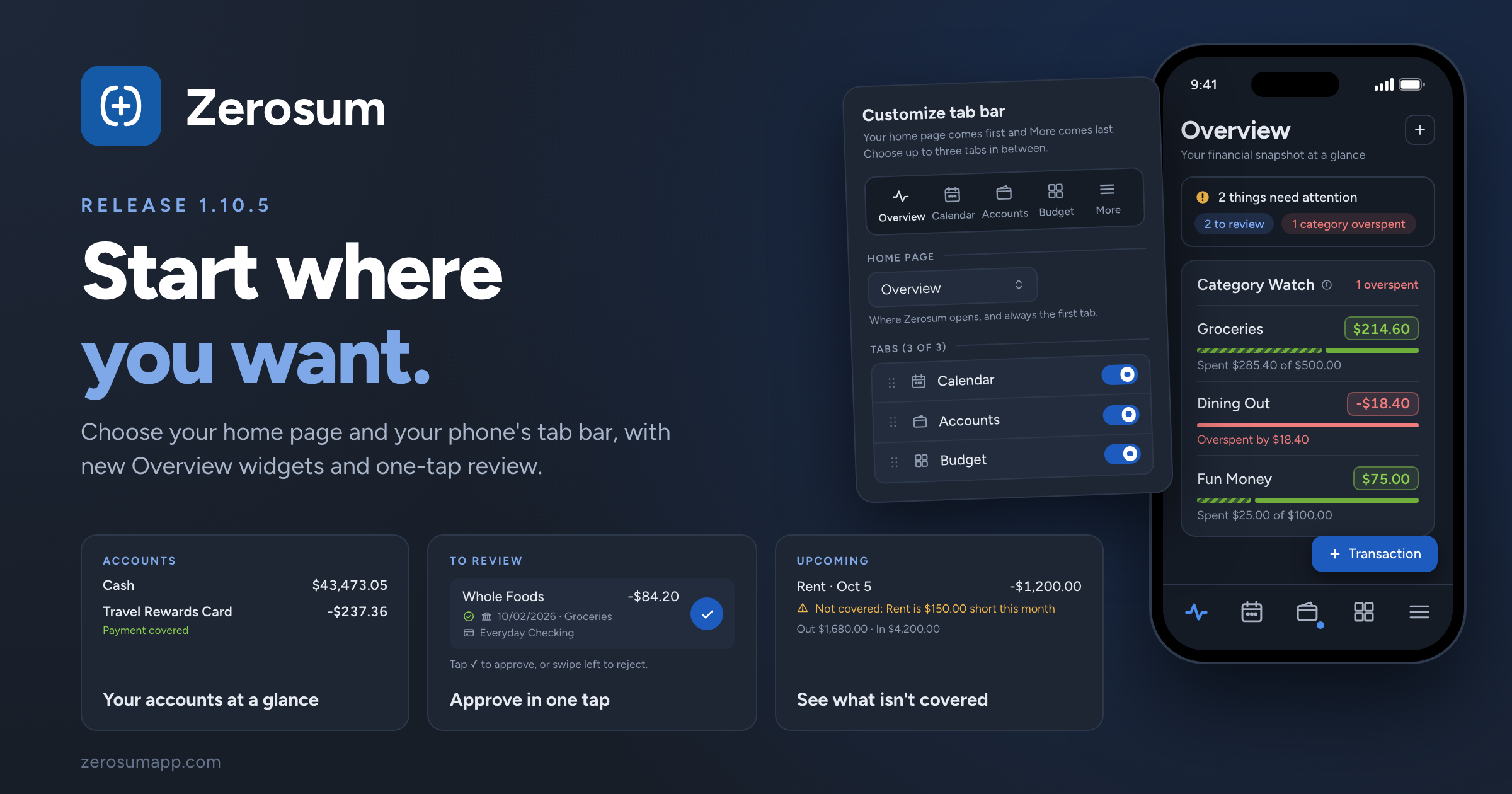
Zerosum now opens where you want it to. Choose the page Zerosum opens on and the tabs on your phone's bottom bar. Alongside it: two new Overview widgets, one-tap review on your phone, filters that stay with each register, and a fix for scheduled transfers.

🏠 Your home page, your tab bar

  • New: choose your home page. Budget, Calendar, Accounts, All Transactions, Overview, or Analytics. Zerosum opens there when you launch it or sign in, and when you switch budgets. Set it in Settings β†’ Preferences β†’ Home page.
  • New: customize your phone's tab bar. Your home page comes first and More stays last. In between, pick up to three tabs and drag them into order from Settings β†’ Preferences β†’ Mobile tab bar β†’ Customize. It replaces the Mobile dock shortcut, and your bar stays as it is until you change it.
  • The + Transaction button follows you home. On your phone, it now also shows on your home page.

β†’ Settings

πŸ“Š More from your Overview

  • New: Category Watch. Your favorite categories with the same progress bars and status as your budget. Tap one to open it in the budget. It's part of the default layout; if you've customized yours, add it from Add Widget.
  • New: Accounts widget. Your cash accounts and credit cards with totals, plus whether each card's payment is covered. Add it from Add Widget.
  • Improved: a fair spending comparison. Spent This Month now compares with the same point last month, so early in the month it no longer looks like a big drop. Prefer the old way? Choose All of last month under Compare spending with in the Snapshot's settings.
  • New: see which bills aren't covered. Upcoming marks scheduled transactions whose category can't cover them as Not covered, and totals what's going out and coming in.
  • Attention chips open the budget filtered. The overspent and underbudgeted chips open your budget with that filter on, so the categories that need you are right there.

β†’ Overview Page

βœ… Review faster on your phone

  • New: one-tap Approve. Review cards are a single row with an Approve button. Swipe right to approve or left to reject.
  • Simpler Pending at bank. No more buttons on each row: tap to open, swipe right to enter it now, or swipe left to reject.

β†’ Reviewing transactions

πŸ” Registers that remember

  • New: filters stay with each register. Every account and All Transactions keep their own search, filters, and preset on this device.
  • Changed: To Review has its own filters. Leave it with Done and your register's filters come back.
  • Your forecast window syncs. How far ahead forecasts show now follows you across devices, in the register and on the Overview's Upcoming card.
  • Fixed: Tab past an empty payee. In All Transactions, Tab now moves on to the category instead of bouncing back.
  • Fixed: rejecting a scheduled transfer removes both sides. No more leftover half asking for a category.

β†’ Transactions

As always, thank you for the feedback that shaped this one. πŸ’™

🎨 v1.10.4: A Fresh Look, Auto Budget in Your Side Panel, Reconnect Before It Breaks

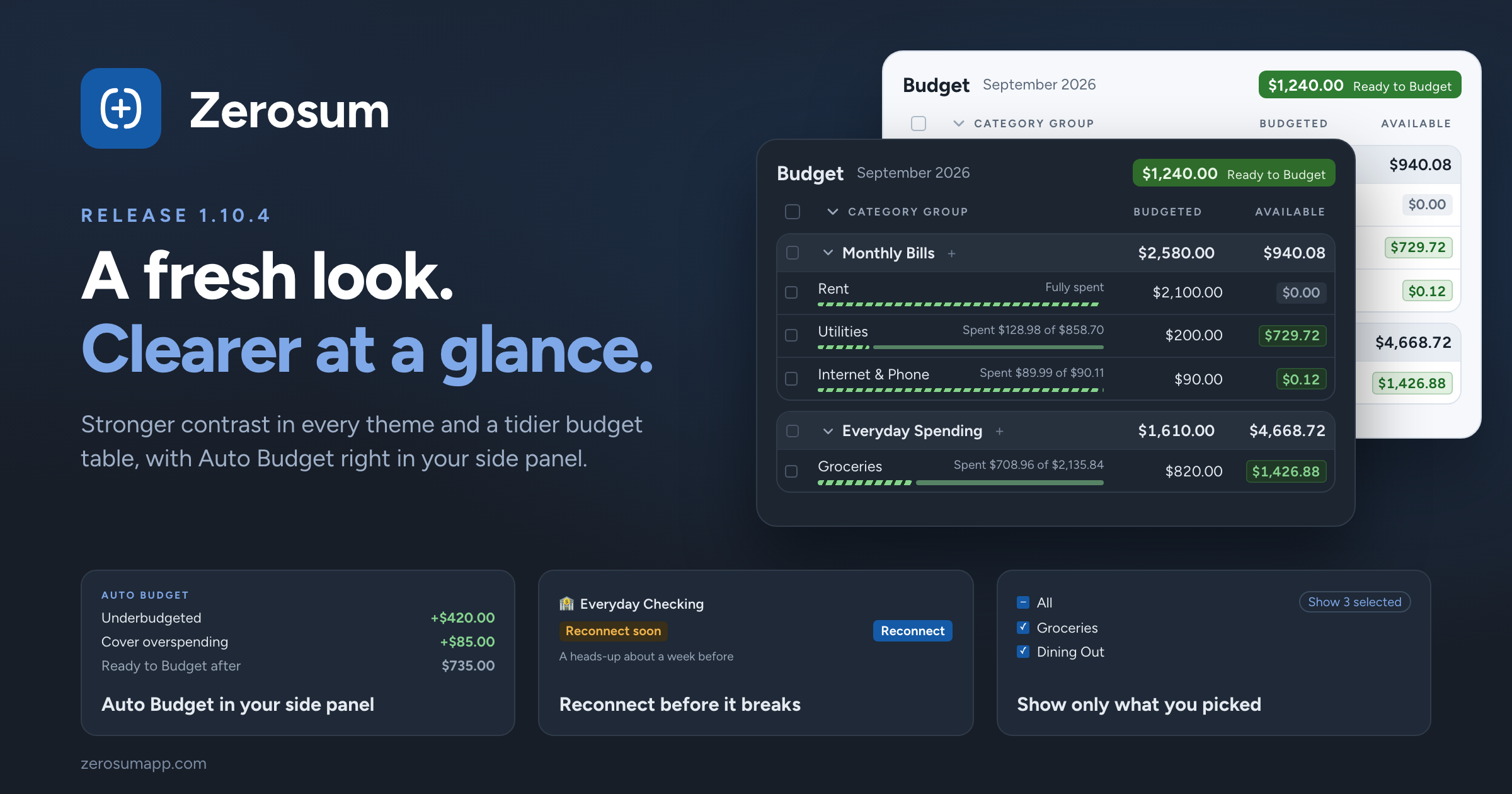
Zerosum has a fresh look. Text and colors are easier to read in every theme, and the budget table is tidier. Alongside it: Auto Budget now lives in your side panel, you get a heads-up before a bank connection needs attention, and a round of fixes.

🎨 A clearer, calmer look

  • Easier to read in every theme. Stronger contrast in light, dark, and high contrast across all 17 themes. Small text now follows your Font size setting too.
  • A tidier budget table. Each group sits on its own card, checkboxes line up on the left, and category names get more room.
  • A calmer register. Spending now shows in regular text instead of red, so red only means something needs your attention. Income stays green.
  • Needs attention on your Overview. A bar under the header links straight to transactions to review, overspent categories, and goals to fund.
  • Dark sidebar on by default in light mode. Prefer it light? Turn off Dark sidebar in Appearance settings.

β†’ Themes & Appearance

πŸͺ„ Auto Budget, right in your side panel

  • New: Auto Budget section. Fill underbudgeted categories, cover overspending, or reduce overbudgeting from the side panel, with a preview of your Ready to Budget before you apply. Collapse it or move it like any other section. It replaces the Auto Budget menu.
  • Hidden categories no longer ask for money. Goals and scheduled amounts on hidden categories stay out of Auto Budget and funding totals. Unhide a category to bring them back.

β†’ Side Panel

🏦 Reconnect before your bank disconnects

  • New: an early warning for Plaid connections. When a bank plans to end a connection, for example during a bank migration, we email you about a week ahead and Bank Sync shows Reconnect soon with a Reconnect button. Reconnecting keeps all your linked accounts.

β†’ Bank Sync

✏️ Faster filters and editing

  • New: show only what you picked. Filter pickers have an All checkbox and a Show selected / Show unselected chip, replacing Select all and Select none.
  • Fixed: math on the mobile keypad. 10 + 10 on an outflow is now 20, and going below zero flips the direction.
  • Changed: splits live in the editor. Convert to split and Convert to normal are gone. Add or remove split lines in the transaction editor instead. This feature was rarely used and it was not worth the complexity in the app.

β†’ Transactions

As always, thank you for the feedback that shaped this one. πŸ’™

πŸ“… v1.10.3: Set Income Aside, Keep Its Category, Meet Iris

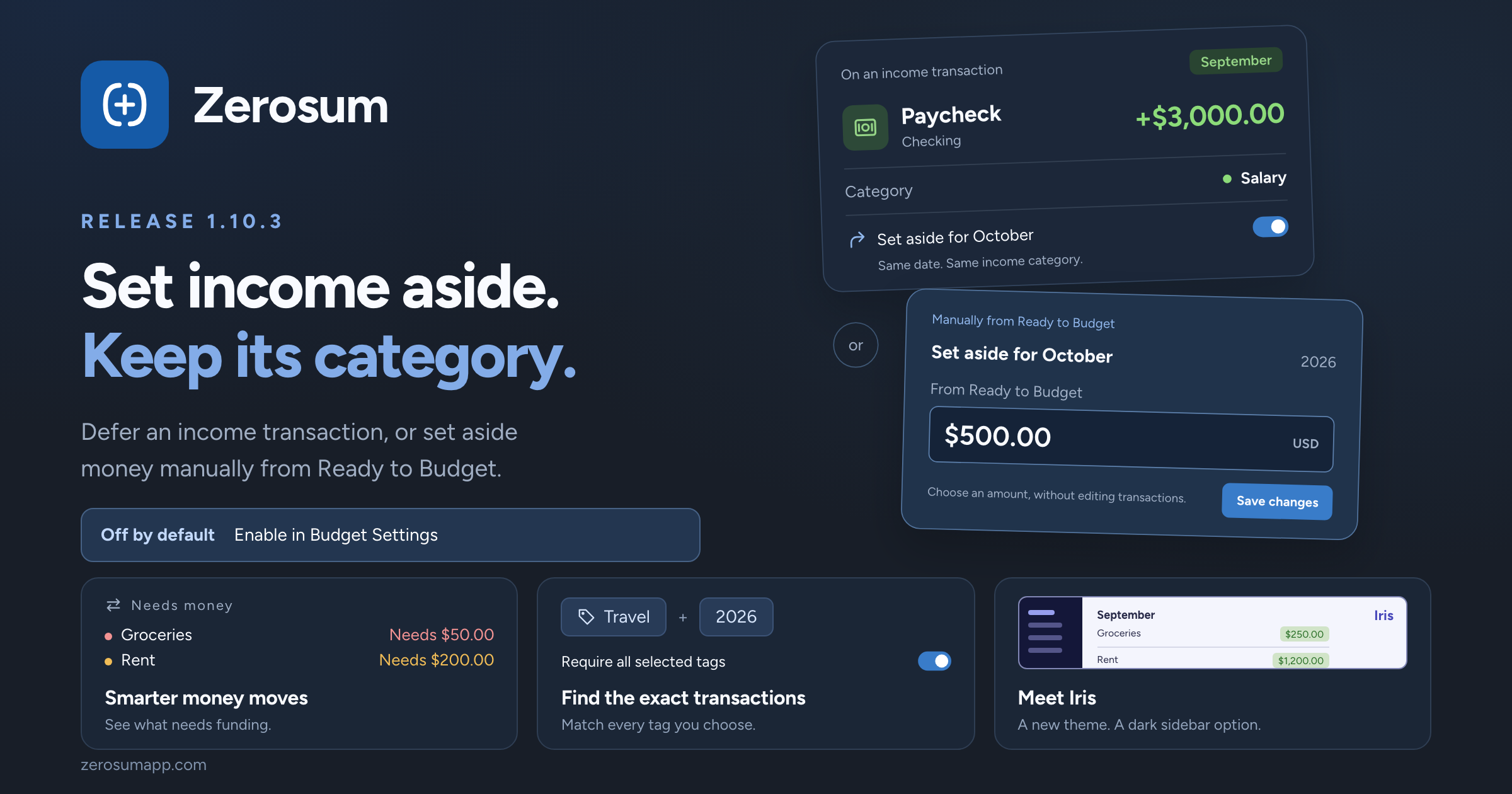
Set aside for next month now works with your income categories. Defer a paycheck while keeping it in Salary, or keep setting money aside manually from Ready to Budget. This is optional and off by default: enable it in Budget Settings when you want to use it. Alongside it: smarter money moves, matching all selected tags, more report controls, and the new Iris theme.

πŸ“… Set income aside, keep its category

To get started: open your budget menu β†’ Budget Settings β†’ turn on Set aside for next month β†’ Save Changes. Previously called For Next Month, this setting is off by default.

  • New: defer an income transaction without a special category. Previously, setting an income transaction aside meant choosing the special For Next Month category. That has been replaced by a choice on the transaction itself. Keep Salary, Freelance, or any other income category, and turn on Set aside for {next month} when adding or editing an inflow.
  • Keep next month's income out of this month's budget. A $1,000 September paycheck set aside for October contributes $0 to September's Ready to Budget and $1,000 to October's. Its date and income category stay the same. Unbudgeted money already carries forward; setting it aside specifically removes it from the current month's Ready to Budget. You can still open October and budget it straight away.
  • Still available: set aside manually from Ready to Budget. Prefer to decide on an amount rather than individual transactions? Open the month's Ready to Budget card and choose how much to set aside, just as before. The editor shows income already set aside, the amount you add from Ready to Budget, and the total for next month.
  • New: optional defaults for income categories. Once the budget setting is enabled, turn on Set aside by default in Manage Income Categories for sources you always want to defer. New income follows that default, including bank imports. Changing a default also updates future-dated and recurring income; today's and earlier income keep their existing choices.
  • Quick changes ask first. If picking a category would change whether income is set aside, Zerosum asks you to confirm, including when a recurring series is affected.

β†’ Set aside for next month

πŸ’Έ Smarter money moves

  • New: see what needs funding. A Needs money section brings categories needing attention to the top of the destination picker, with overspending first and the amount each category needs beside its name.
  • Improved: helpful starting amounts. Pick a destination and the suggested amount follows what it needs and what the source has available. Once you type an amount, your choice stays put.
  • Clearer before you move. Partial funding names the category and how much of its need you're covering. Moving more than the source holds shows a warning, and credit card payment categories only suggest moving out money above the card's balance.

β†’ Budgets & Categories

🏷️ Find transactions with all your tags

  • New: Require all selected tags. Find transactions tagged both Travel and 2026, instead of either one. Available in the transaction filters on desktop and mobile, and remembered in saved transaction views.

β†’ Searching transactions

πŸ“Š Reports, your way

  • New: amounts or percentages on spending widgets. Choose how values appear in Spending by Category, Payee, Tag, and the Overview spending breakdown.
  • Fixed: each custom dashboard keeps its own date range. Switching dashboards no longer carries one dashboard's dates into another.
  • Clearer income reports. Income-categorized transfers from tracking accounts now appear under their income category, including in Income Breakdown. Income Flow widgets also show amounts when you hover over their bars.
  • Fixed: Runway's spending average. Older tracking-account entries no longer stretch the spending window and make your average look artificially low.

β†’ Analytics & Reports

🎨 Meet Iris

  • New: Iris theme. A vivid blue-violet look with a deep indigo dark mode.
  • New: a dark sidebar in light mode. Turn on Dark sidebar in Appearance settings. It follows your dark mode theme, including a separate one if you've chosen it.
  • Easier to read at a glance. Stronger budget and goal colors in light mode, a green Ready to Budget card when you have money to assign, and clearer links in high contrast.

β†’ Themes & Appearance

As always, thank you for the feedback that shaped this one. πŸ’™

Earlier updates