🎨 v1.10.4: A Fresh Look, Auto Budget in Your Side Panel, Reconnect Before It Breaks
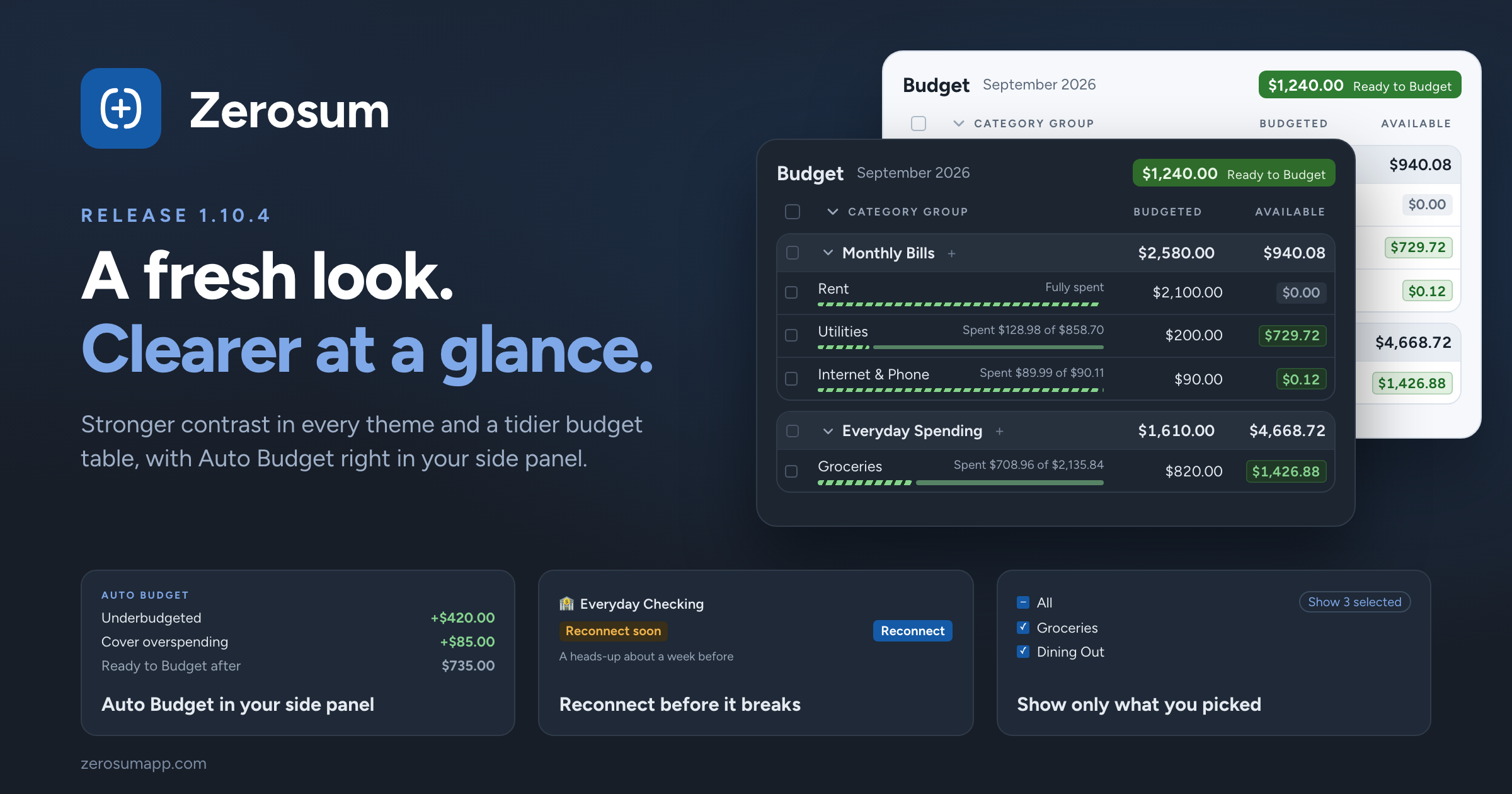
Zerosum has a fresh look. Text and colors are easier to read in every theme, and the budget table is tidier. Alongside it: Auto Budget now lives in your side panel, you get a heads-up before a bank connection needs attention, and a round of fixes.
🎨 A clearer, calmer look
- Easier to read in every theme. Stronger contrast in light, dark, and high contrast across all 17 themes. Small text now follows your Font size setting too.
- A tidier budget table. Each group sits on its own card, checkboxes line up on the left, and category names get more room.
- A calmer register. Spending now shows in regular text instead of red, so red only means something needs your attention. Income stays green.
- Needs attention on your Overview. A bar under the header links straight to transactions to review, overspent categories, and goals to fund.
- Dark sidebar on by default in light mode. Prefer it light? Turn off Dark sidebar in Appearance settings.
🪄 Auto Budget, right in your side panel
- New: Auto Budget section. Fill underbudgeted categories, cover overspending, or reduce overbudgeting from the side panel, with a preview of your Ready to Budget before you apply. Collapse it or move it like any other section. It replaces the Auto Budget menu.
- Hidden categories no longer ask for money. Goals and scheduled amounts on hidden categories stay out of Auto Budget and funding totals. Unhide a category to bring them back.
🏦 Reconnect before your bank disconnects
- New: an early warning for Plaid connections. When a bank plans to end a connection, for example during a bank migration, we email you about a week ahead and Bank Sync shows Reconnect soon with a Reconnect button. Reconnecting keeps all your linked accounts.
✏️ Faster filters and editing
- New: show only what you picked. Filter pickers have an All checkbox and a Show selected / Show unselected chip, replacing Select all and Select none.
- Fixed: math on the mobile keypad.
10 + 10on an outflow is now 20, and going below zero flips the direction. - Changed: splits live in the editor. Convert to split and Convert to normal are gone. Add or remove split lines in the transaction editor instead. This feature was rarely used and it was not worth the complexity in the app.
As always, thank you for the feedback that shaped this one. 💙