Row bars
How to read the bar under each category: last month's money, this month's, what you spent, what a goal still needs, and overspending.
Written By Pedro
Last updated 3 days ago
Each category in your budget can show a small bar with its name. It shows the category's money this month and what happened to it. Read it from left to right.
The parts of a bar
Without a goal, the whole bar is everything the category had this month: what carried over from last month plus what you budgeted. A goal can add an empty part for money it still needs. The text with the bar says the same in numbers: Spent $597.99 of $2,135.84 means you spent $597.99 out of everything the category had, not only out of this month's budget.
When a bar has more than one part
Most bars are one part. A bar splits only when part of the money plays a different role for the goal:
What the colors mean
What each bar is telling you
Money left from last month
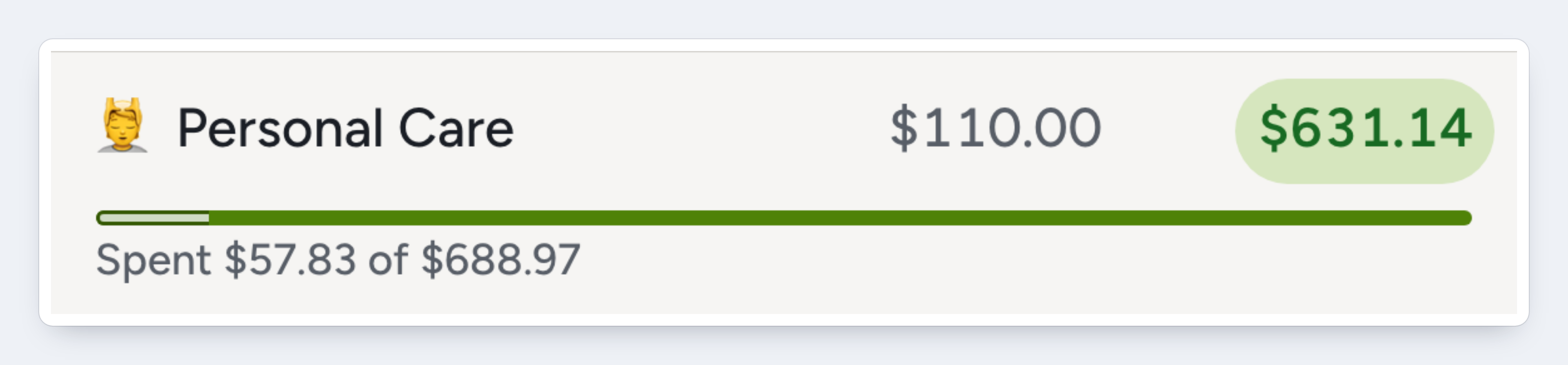
Personal Care had $578.97 left from last month and got $110 this month. Both are in one part, $688.97 in all, since both are money to spend.
With a Budget another goal, last month's money would be a part of its own instead, as New Car Fund shows below.
Some of it spent
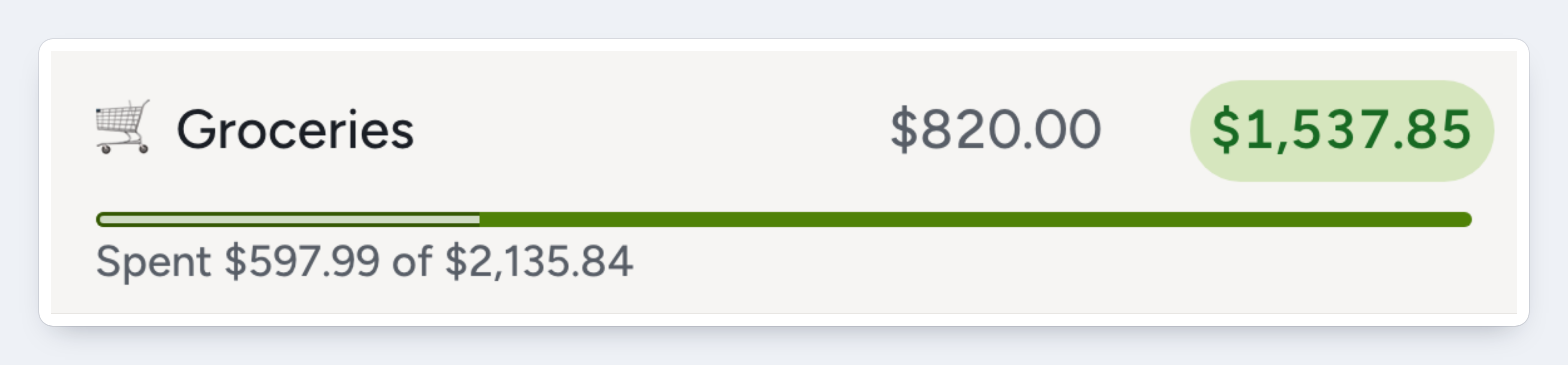
Spending fills the bar from the left. The solid part is what you can still spend, the same as Available: $1,537.85 here.
All of it spent
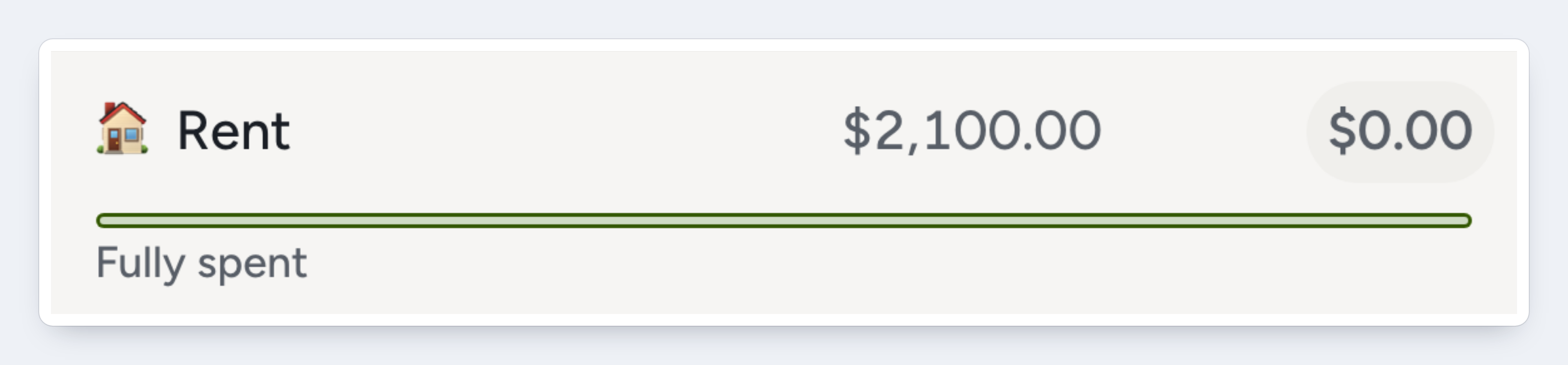
A bar that is pale from end to end has spent everything it had. Available is $0.00.
Overspent
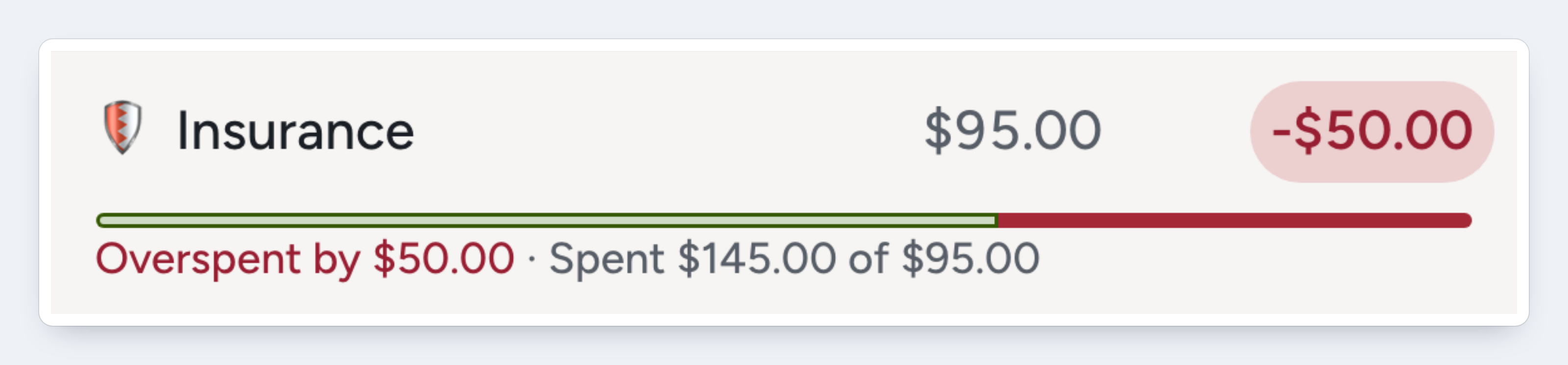
Red starts where the money ran out. Insurance had $95 and spent $145, so the last $50 is red. Budget $50 more and the red turns into spent money in the same place.
A goal that still needs money
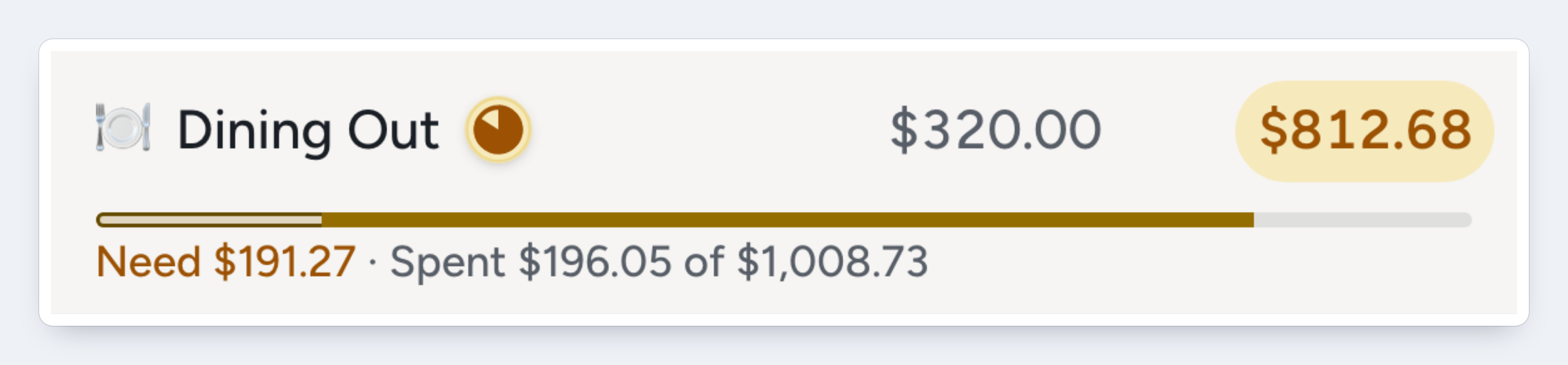
Dining Out has a goal to refill up to $1,200. The bar runs to the $1,200, last month's money included. It has $1,008.73, so the empty part at the end is the $191.27 it still needs.
A goal with what it needs
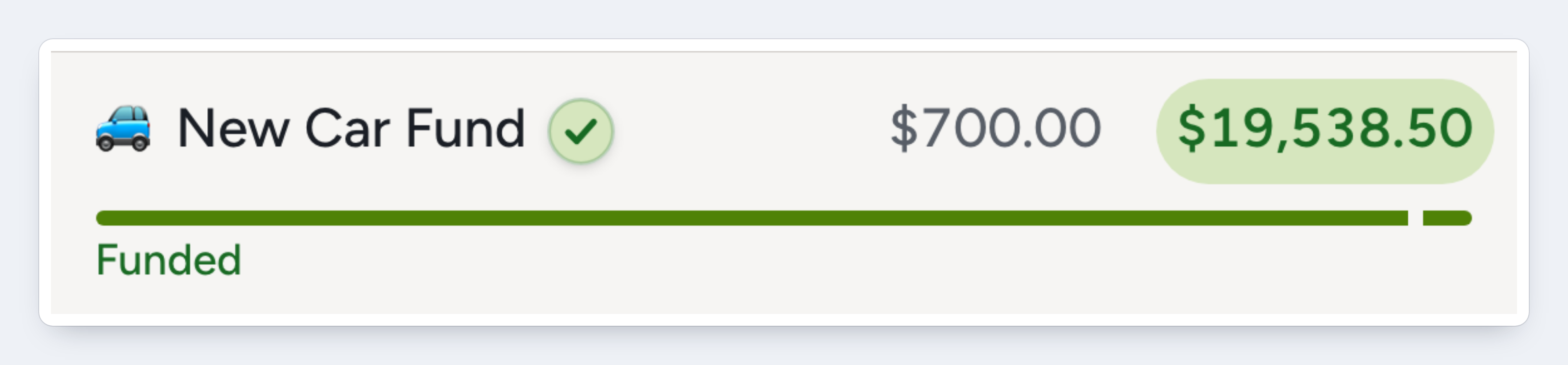
New Car Fund has everything its goal asks for this month, so the bar is full and green. Its goal is to budget another $700 each month, so the long first part is last month's money and the short one is this month's $700.
Saving toward a target
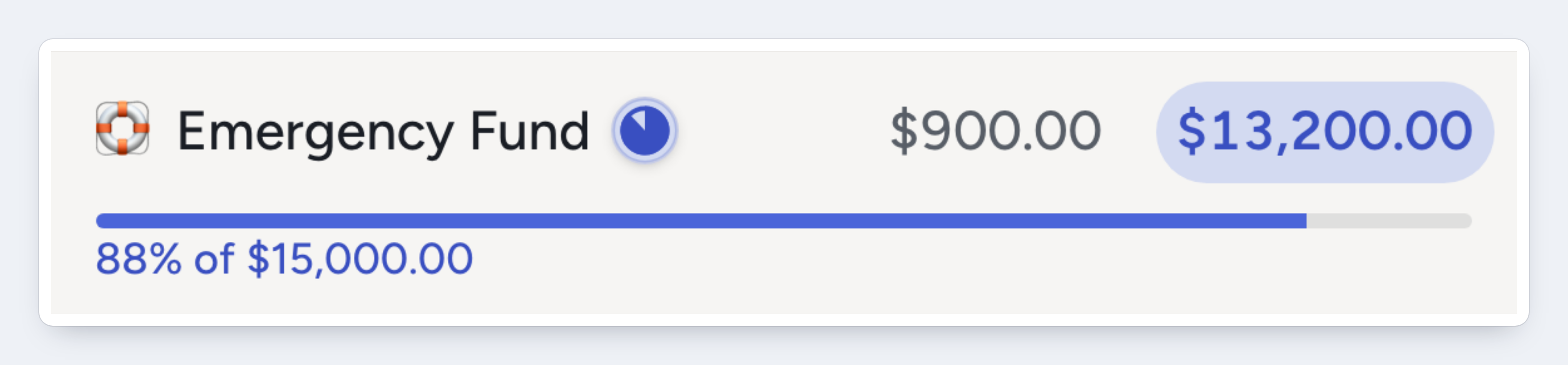
Emergency Fund is saving toward $15,000 with no date. The bar runs to the whole target, so it shows how far along you are: $13,200 so far.
Weekly goals
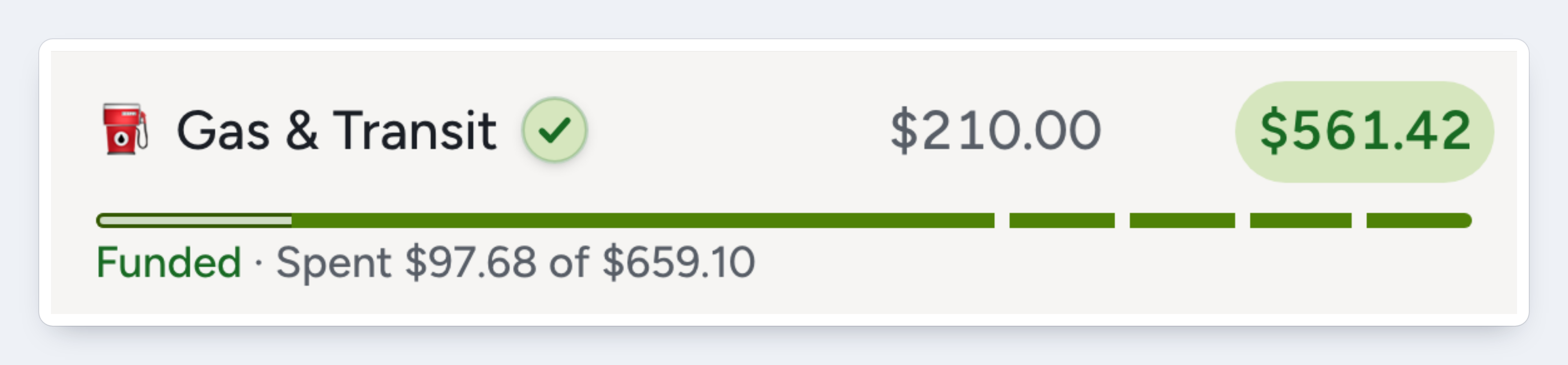
A weekly or biweekly goal gets one part for each funding date in the month. Gas & Transit's goal is $50 every Friday, and November has four. With Budget another, like here, the first part is last month's money. A weekly Refill up to goal uses last month's money to fill its earliest weeks instead.
Choose a bar
Click View above the budget and choose under Row bars:
Summary text, in the same menu, shows or hides the text with the bar. Only you see your choices, in every budget and on every device.
Common questions
Can I choose which money is spent first?
No. Spending always uses last month's money first. You see it where last month's money has a part of its own: with Budget another, and in a month ahead.
Why does a month ahead show last month's money as its own part?
With Plan future months fresh on (the default), a monthly or weekly Refill up to goal plans a month ahead as if nothing carried over, and asks for its full amount. A yearly or dated one does the same from the month its next period starts, and a Stop at amount counts only that month's budget. The money is still in the category, so the bar shows it first, as its own part, then what the goal asks for that month. With the setting off, a Refill up to goal counts that money, and the bar draws it in one part, as it does this month. See Budget Goals.
Why is one bar much longer than its goal?
The bar shows all of the category's money, not only the goal. Money from last month, money budgeted beyond the goal, and overspending all make it longer.
Why does a credit card payment row look different?
A card's Payment category shows a bar only while its payment goal still asks for money and the card has a balance. It always shows that goal, even with Spending bar chosen. See Credit Card Accounts.
Where to next
Was this helpful?