Service status
Check whether Zerosum is working right now, and find any problem or planned maintenance we have announced.
Written By Pedro
Last updated 4 days ago
If something in Zerosum isn't working, check status.zerosumapp.com first. It shows whether Zerosum is working right now, and it's where we announce any problem and any planned maintenance.
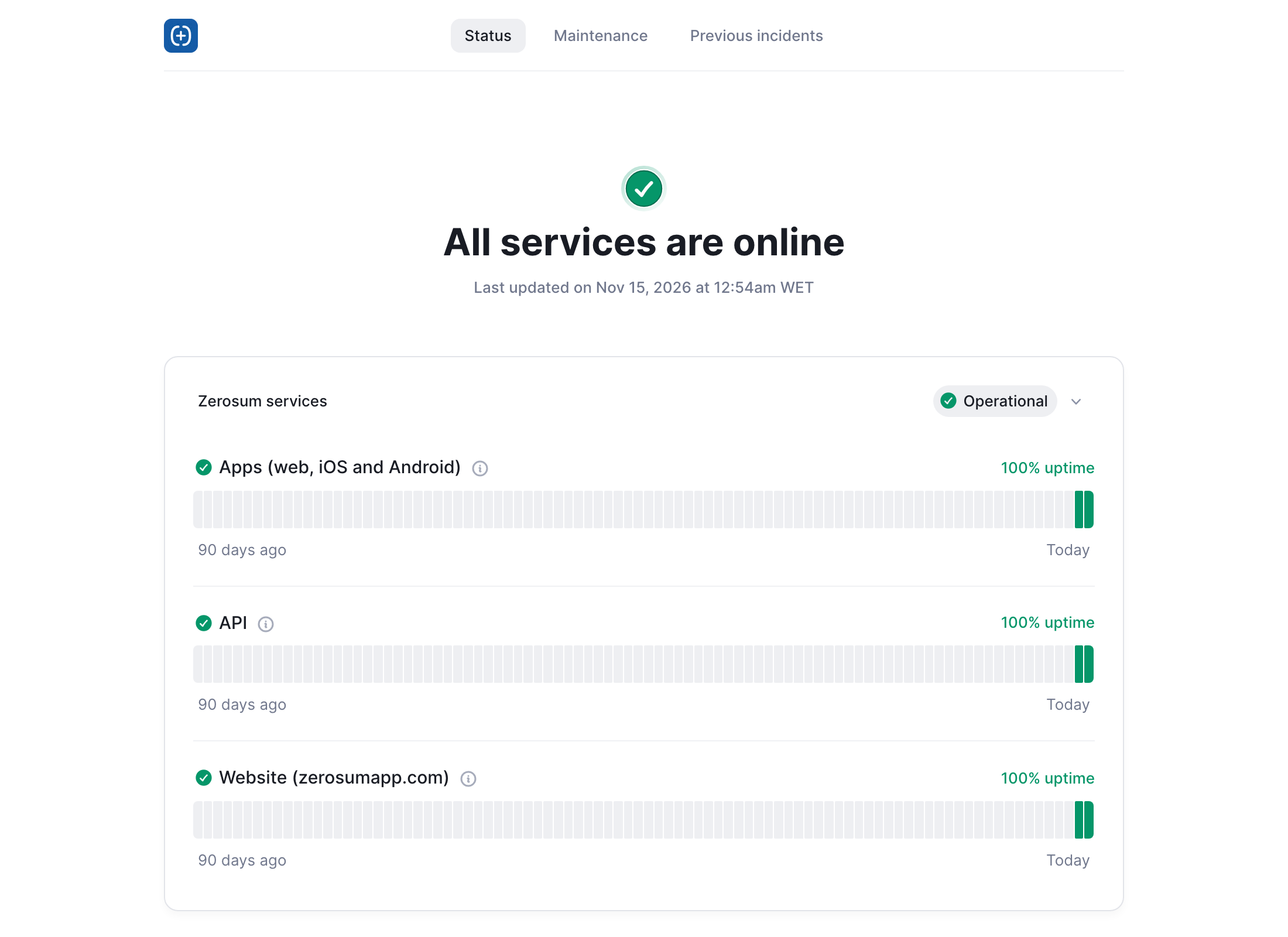
What the page shows
Each service has a bar for the last 90 days. A green day had no problems. Hover over or tap a day to see what happened.
Problems and maintenance
A problem right now: the top of the page says which service is affected. We post what is happening and update it until it's fixed.
Planned maintenance: announced ahead of time under Maintenance, with when it starts and how long it takes.
Past problems: listed under Previous incidents.
If the page says everything is working
The problem may be on your side. Check your internet connection, then reload Zerosum or update the app. If it still doesn't work, email support@zerosumapp.com and tell us what you see.
Bank sync also depends on your bank and on Plaid or Lunch Flow, so a problem with one bank connection may not show on the status page. See Bank Sync for what to do.
Where to next
Was this helpful?