Changelog

Follow new updates and improvements to Zerosum.

๐Ÿ’ต v1.10.9: Colors for Income, Simpler Account Settings, on iPad
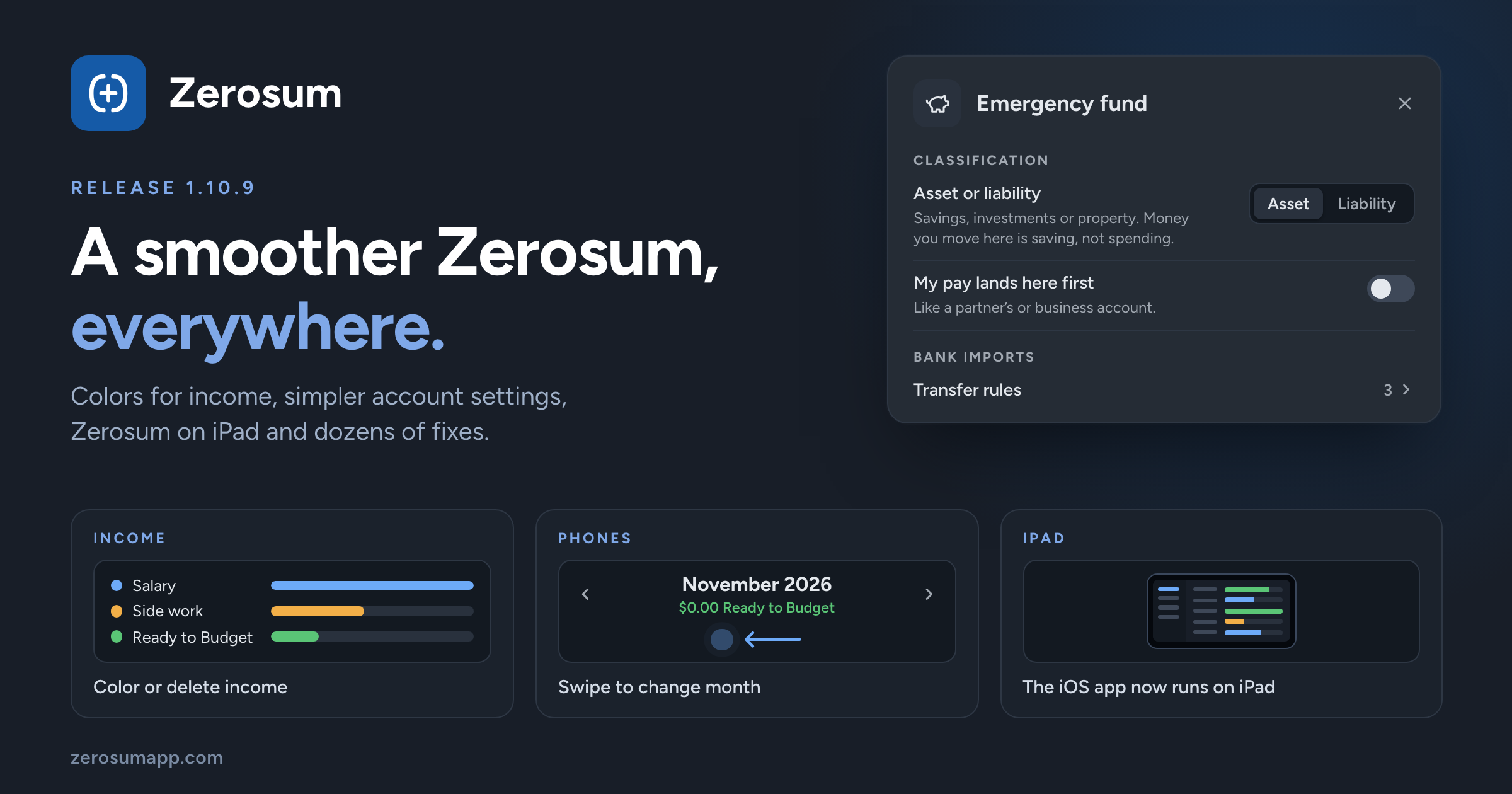
A smoother Zerosum, everywhere. Income categories get colors and can now be deleted, account settings are simpler, and the iOS app runs on iPad. Plus a long list of polish and fixes.

๐Ÿ’ต Income categories

  • New: colors for income. Give any income category, and Ready to Budget, a color. Income Flow, Breakdown and Income vs Expense use it.
  • New: delete an income category. Pick where its transactions go, and it's gone. You can undo it.
  • Improved: a cleaner Manage income categories, with Ready to Budget pinned on top and one โ‹ฏ menu per category.

โ†’ Budgets & Categories

๐Ÿฆ Simpler account settings

  • Improved: account settings are shorter and grouped into clear sections.
  • Improved: enter a debt as what you owe. Creating a liability account or a loan asks for the amount owed, no minus sign needed.
  • Changed: the transfer category and account settings from 1.10.8 are gone. Zerosum still fills them in for you, so there's one less thing to set up.
  • Changed: Transfers is now Transfer rules, and holds only the account's transfer rules.

โ†’ Accounts & Transfers

๐Ÿ“ฑ iPad and phones

  • New: Zerosum on iPad. The iOS app now runs on iPad.
  • New: swipe to change month on the mobile budget and calendar.
  • New: swipe in from the right edge to open the sidebar, in the iOS app and the Home Screen app. The sidebar follows your finger and swipes shut.
  • New: haptic feedback when you budget money, Move Money or Cover overspending, and a light tick on each month step.
  • New: tap the current tab again to scroll back to the top.
  • Improved: Android Back closes what's open, like a menu, a sheet or the sidebar, and leaves multi-select before it goes back. On the first page it minimizes the app.

โ†’ Install Zerosum

๐Ÿ“Š Reports

  • Changed: moving money to savings isn't spending. Transfers to an asset tracking account now show on a Moved to savings line instead of counting as spending. Your budget is unchanged.
  • New: My pay lands here first. Turn it on for an account where your pay arrives first, like a partner's account, and its transfers count by category as before.

โ†’ Analytics & Reports

๐ŸŽฏ Goals and Ready to Budget

  • Fixed: past months' Ready to Budget no longer shows money a later month already budgeted. Some past months may now show less.
  • Changed: one-time goals end on their due date. After it they stop asking for money, and one that fell short says by how much.

โ†’ Budget Goals

๐Ÿ”— Match and Unmatch

  • Changed: Unlink is now Unmatch, everywhere.
  • Changed: the Match shortcut is now Shift+M (it was Shift+L).

โ†’ Reviewing and matching

๐Ÿ’ฑ Currencies and imports

  • Improved: picking a currency sets its number format and symbol position.
  • Changed: whole-unit currencies stay whole. Budgets in currencies without everyday cents, such as HUF, TWD and IDR, keep whole amounts.
  • Improved: imports from YNAB bring your notes for categories, accounts and months.
  • Fixed: Actual Budget files in yen, won or rial no longer import 100 times too large.

โ†’ Import from YNAB ยท Import from Actual Budget

โŒจ๏ธ Keyboard and screen readers

  • Improved: screen readers can follow the whole app, and a Skip to main content link is the first Tab stop.
  • Improved: focus rings are easy to see in light, dark and high contrast.
  • Fixed: Escape cancels an amount edit in a Budgeted cell instead of saving it.

โ†’ Keyboard Shortcuts

๐Ÿงฎ Smaller things

  • New: Custom dates in the register's date filter, and an โœ• beside Filters clears them all.
  • New: hide side panel sections from Arrange sections.
  • Improved: Save & Add Another fills in the category on every new row.
  • Fixed: Overview cards no longer say there's nothing to review while they load.
  • Fixed: a double tap on a dialog no longer runs its action twice.
  • Fixed: Delete goal asks first.

As always, thank you for the feedback that shaped this one. ๐Ÿ’™

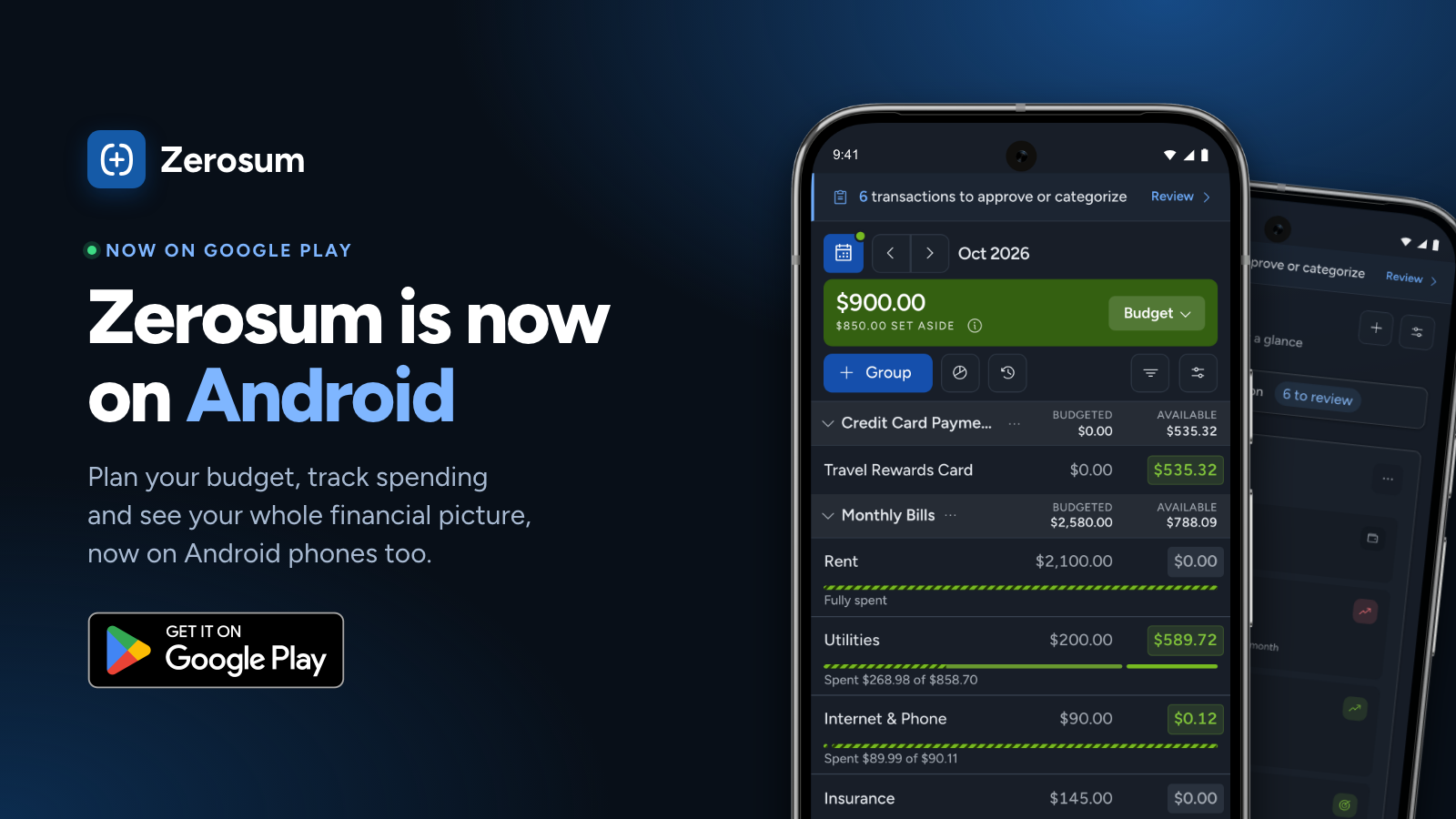
Zerosum is now on Google Play ๐ŸŽ‰

A lot of you asked for an Android app, so here it is. Sign in with your Zerosum account and your budget is right there, synced with the web and iPhone.

What you get on Android:

  • Push notifications when transactions are waiting for review

  • Google sign-in in one tap

  • Receipt photos straight from your camera, and nearby payee suggestions

  • Zerosum on your home screen, no browser tabs

To be upfront about how it's built: like the iPhone app, the Android app is a native shell around the same Zerosum app you use on the web, not a separate rewrite. Every feature and fix lands on web, iPhone and Android at the same time, and the shell adds the phone things a browser can't do well, like push notifications and native sign-in.

Subscriptions are managed on the web. The Android app doesn't sell plans, so if you're new, start your free month at zerosumapp.com and then sign in on your phone.

Get it here: https://play.google.com/store/apps/details?id=so.zerosum.app

If anything looks off on your device, tell us through Help in the app. Thanks to everyone who tested it over the last couple of weeks!

๐Ÿ“ฅ v1.10.8: Drop Bank Files to Import, Plan Ahead, Bank Sync for Everyone in a Shared Budget

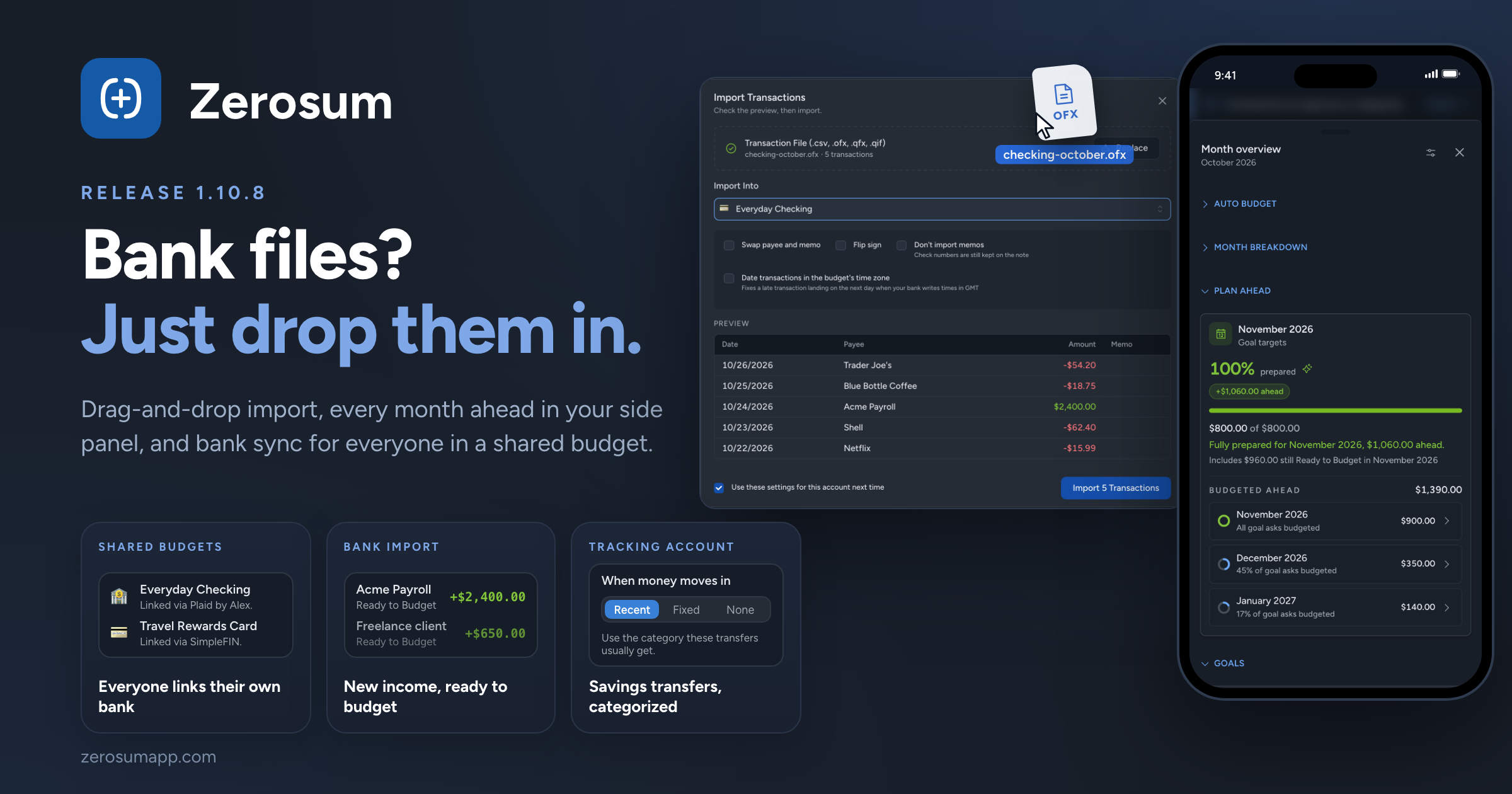
Importing a bank file is now drag and drop. Drop one or several exports anywhere in a budget and Zerosum takes it from there. Alongside it: every month you've budgeted ahead in your side panel, bank sync for every member of a shared budget, and bank matching that catches the bills you already approved.

๐Ÿ“ฅ Drop bank files to import

  • New: drop files anywhere. On a computer, drag bank exports (CSV, TSV, OFX, QFX or QIF) onto any budget page and the import opens with your files read. Drop several at once and they import one after another. A file holding several accounts steps through each one.
  • New: Zerosum remembers where each bank account goes. The next file from the same bank account goes straight into the account you picked last time. Only the last four digits are kept, never the full account number.
  • Improved: no more duplicated history. Transactions dated before what the account already holds, or before your last reconciliation, are left out. One click brings them in: Include N transactions dated beforeโ€ฆ
  • Improved: dates you can trust. When a file's dates could be read two ways, Date Format shows a date from your file read each way. QIF files remember your choice, and OFX and QFX files can be dated in your budget's time zone.
  • Improved: one summary at the end. Importing several files ends with a single summary naming every account, including how many transactions matched ones you'd already entered.
  • Changed: new income lands in Ready to Budget. Money coming into a budget account from bank sync or a file now lands in Ready to Budget instead of Needs category, when no payee or rule gives it a category. A payee's remembered category still wins.
  • Fixed: importing from Actual Budget works again.

โ†’ Importing Transactions

๐Ÿ“… Plan Ahead in your side panel

  • New: every month ahead, at a glance. The side panel's Next Month Coverage is now Plan Ahead. Next month stays on top. Below it, every future month you've budgeted shows the amount budgeted there and a ring for how much of that month's goals is covered. Click a month to open it.
  • New: know before a later month runs short. If budgeting ahead leaves a later month's Ready to Budget below zero, Plan Ahead names the month and the amount.

โ†’ Side Panel

๐Ÿค Shared budgets, with bank sync for everyone

  • New: members can link their own bank accounts. Anyone in a shared budget whose plan or trial includes bank sync can now link accounts into it, not just the owner. Each account shows who linked it ("Linked via Plaid by Alex"), and only that person can reconnect it. If someone leaves or is removed, their accounts become manual and keep their history.
  • New: see who uses each seat. Settings โ†’ Members now has Sharing across your account, listing everyone who holds one of your seats and which of your budgets they're in, so you can free a seat from any budget.

โ†’ Sharing & Collaboration ยท Bank Sync

๐Ÿฆ Smarter bank matching

  • Fixed: a scheduled bill could land twice. When a bill you already approved from your bank later comes due as a scheduled transaction, the two now match and go to review as one. Unlink separates them.
  • Improved: a match fills in the blanks. Approving a match gives your transaction the bank's payee, category or receipt wherever yours was empty.
  • Changed: amounts follow your bank. When your bank changes the amount of a transaction you already approved, it updates quietly instead of adding a correction to review. Amounts you edited yourself are kept.

โ†’ Reviewing, matching & linking

๐Ÿ” Transfers to tracking accounts

  • New: a category for money moving into a tracking account. Choose Recent, Fixed or None under When money moves in, on the account's Transfers step in Manage payees. Transfers you enter, and imports a transfer rule records, start with it instead of landing in Needs category.
  • Improved: Recent follows your habit. It uses the category most of your last five transfers agree on, so a one-off pick doesn't change it.

โ†’ Accounts & Transfers

๐Ÿงฎ Smaller things

  • Improved: "Did you mean" for payees. Typing part of an existing payee no longer shows a warning, and a near miss like "Cofee Shop" offers the existing payee instead.
  • Improved: quick actions (Cmd/Ctrl + K) put the best matches first across every group, and list every command before you type.
  • Improved: Income vs Expense has Collapse all and Expand all buttons under View that fold and open every section, not just the groups.
  • Fixed: Spending Trends' top 10 no longer swaps in a category whose refund cancelled out its spending.
  • Fixed: number fields such as Repeat every and After total occurrences can be cleared and retyped.
  • Fixed: account groups in the sidebar no longer flip open and shut when Zerosum is open in two windows.
  • Fixed: currency symbols such as Ft, Kฤ and zล‚ keep their case in headers.

As always, thank you for the feedback that shaped this one. ๐Ÿ’™

Earlier updates